
Mobile
hidden app development costs: A Practical Budget Guide
Plan for hidden app development costs, from discovery and design changes to platform choices, hiring, integrations and code handover.
Also available in: Deutsch, Italiano, Español, Français, Português (Brasil), Nederlands, 한국어, हिन्दी, 日本語, 简体中文
On this page
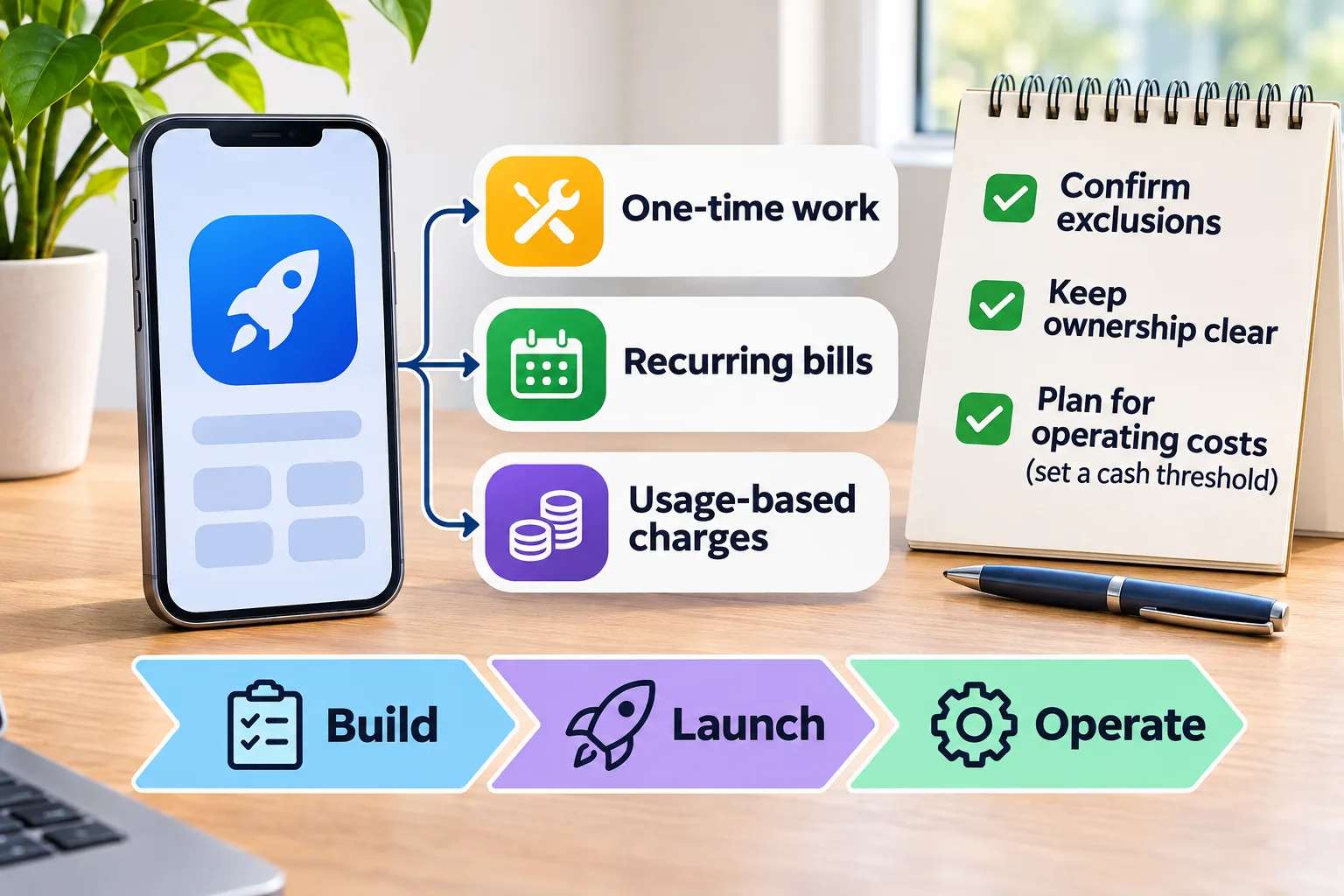
Hidden app development costs are expenses outside your build quote, including planning, third-party services, launch work and ongoing operations. To budget for them, separate one-time work from recurring bills and usage charges. Confirm exclusions and ownership in writing, then plan how you'll cover operating costs if revenue arrives late.
What counts as hidden app development costs?
Hidden app development costs are expenses your budget misses because the build quote excludes them or leaves responsibility unclear. A quote can cover the agreed software without covering everything needed to operate it. AppDesign360's mobile development service, for example, confirms features, platforms, provider charges and timing in a written quote, so the starting price shouldn't be treated as an all-inclusive operating budget.
Total cost of ownership means what you spend to build, run, maintain and eventually replace or close your app. For a booking app, that means looking beyond the booking screen to payment services, support and eventual data export. Choose a planning period that matches your funding decision, then include the costs you expect within it.
| Cost type | Examples to check | Budget question |
|---|---|---|
| One-time work | Planning, initial development, data migration and handover | Is this included, separately quoted or your team's responsibility? |
| Recurring bills | Hosting plans, software subscriptions and ongoing support | What remains payable while the app is available? |
| Usage-based charges | Messages, payment processing and metered external services | What activity triggers a charge, and how is it measured? |
An undisclosed charge and a normal operating expense are different problems. A hosting bill identified before signing isn't hidden, but it can still become a cash surprise if you budget only for development. Ask for exclusions as well as inclusions, with a named payer for each outside service.
For a nonprofit's appointment app, separate building reminders from paying for the messages those reminders send. You might approve the feature while overlooking its ongoing bill. Give each budget line a payment trigger and an owner, then mark unknown amounts for confirmation rather than treating them as zero.
Are planning, design and scope changes included in app development costs?
Planning, design and scope changes are included only to the extent your written agreement defines them. Discovery, the work of clarifying users and requirements before coding, needs its own deliverables even when it's bundled into development. According to AppDesign360's mobile development service, its separate App Blueprint starts at $1,250 and includes a clickable prototype, a technical specification and a build quote. That is a planning purchase, not the completed app.
A clickable prototype lets you try a proposed screen flow, while a technical specification describes what the software must do and how it will be built. Ask whether planning includes user research, checks on connections to existing systems and design revisions, rather than assuming those activities are covered. Project management also needs an owner to coordinate decisions and approvals. Your team should budget time for explaining workflows, supplying content and checking the result, even when that time never appears on a developer's invoice.
- Name each planning deliverable and who approves it.
- State how design revisions are handled and what ends the design phase.
- Assign responsibility for content, account access and timely feedback.
- Define acceptance criteria, meaning observable conditions that show the work meets the agreement.
For a hypothetical booking app, an acceptance criterion could require a customer to select an available appointment and receive confirmation. Adding several staff calendars later changes the requirements, so ask for its price and schedule effect before approving it. Distinguish that request from a defect, such as confirmation failing when confirmation was already included. Put both examples into the agreement's change and defect process so the distinction isn't left to memory.
- Record the requested change against the agreed scope.
- Get written confirmation of its cost and timing effect.
- Approve, defer or remove the change before implementation starts.
A separate planning phase is most useful when a workflow or technical dependency remains unresolved. For a bounded task with clear requirements, ask whether a smaller planning scope is enough. The decision should follow the uncertainty you need to resolve, rather than a standard package size.
How do platform and hiring choices affect your app budget?
Platform and hiring choices change the work you're buying, so compare complete delivery scopes rather than starting prices or hourly rates. According to AppDesign360's mobile development service, builds start at $3,500 USD for an agreed starter scope, with platforms and features confirmed in writing. Its listed options include native Swift and Kotlin development and shared-code development using Flutter and React Native. None of those names alone tells you what your finished product will cost.
| Approach | Meaning | Budget questions |
|---|---|---|
| Native mobile app | An app built for a particular operating system, such as iOS with Swift or Android with Kotlin | Which platforms are included, and what implementation and testing does each require? |
| Shared-code mobile app | An approach that shares application code across platforms, such as Flutter or React Native | Which features still need platform-specific work, testing or release handling? |
| Browser app | Software accessed through a web browser | Which browsers, screen sizes and device capabilities must it support? |
Supporting iOS and Android means both platforms need to be covered in implementation, testing and release planning, even when they share code. Don't assume shared code removes that work or guarantees a particular saving. For a hypothetical client portal used at office desks, ask whether browser access meets the requirement before commissioning mobile releases. If field workers need a particular device capability, validate that requirement before choosing the approach.
Hiring changes who manages delivery as well as who writes the code. AppDesign360 lists IT staff augmentation, meaning additional people working within your team, from $20 per hour; that rate isn't a fixed project quote. Compare who owns technical decisions, testing and handover before choosing a hiring model. For a team without a technical lead, a low hourly rate leaves a management responsibility that still needs an owner.
| Hiring model | What to budget | Responsibility to confirm |
|---|---|---|
| In-house team | Recruitment, employment costs, tools and management | Who covers design, testing and specialist work? |
| Freelancer or staff augmentation | Agreed hours plus your team's coordination time | Who defines tasks, reviews work and manages release readiness? |
| Scoped development partner | Defined deliverables plus approved changes and exclusions | What does acceptance include, and what happens at handover? |
Connections to existing tools and movement of existing data need explicit scope under any hiring model. An integration connects systems, while data migration moves information into the new app; for a booking product, ask separately about connecting a calendar and importing customer records. Team location doesn't settle value either: agree meeting overlap and approval responsibilities, especially when delays could leave decisions waiting. AppDesign360 states that clients keep their code, hosting and accounts, so make that ownership practical by confirming access and handover tasks before paying.
- For each integration, confirm who supplies access and tests failure cases.
- For each migration, define the source records, required cleanup and checks after import.
- For handover, identify the code location, account administrators and instructions needed to operate the app.
- Ask each bidder to price the same required outcome before comparing proposals.
Which hosting, software and usage bills continue after launch?
Your operating budget needs room for infrastructure, software subscriptions and charges tied to activity after launch. The backend is the services and data systems behind your app, such as the database that stores bookings and the service that sends confirmations. AppDesign360’s service information separates cloud hosting, domains and other provider charges from development labor. Treat those bills as separate budget lines unless your agreement explicitly includes them.
Hosting runs your application, while databases hold information that users create or retrieve. Backups preserve recoverable copies, and monitoring helps your team detect errors or outages; AppDesign360 identifies both in its SaaS infrastructure scope. A staging environment is a separate place to test changes before customers receive them, and it needs its own resource allowance. Ask which resources stay running between releases, what information backups retain and whether checking that a backup can be restored is included.
| Budget line | Billing unit to check | Activity to estimate |
|---|---|---|
| Hosting and databases | Plan, computing time, storage or data transfer | Running services, stored records and downloads |
| Backups and monitoring | Stored data, retention period, events or plan | Backup history and recorded errors |
| Software licenses | Subscription, staff seat or account | People who need paid access |
| Email and text messages | Plan, message or message segment | Confirmations, reminders and retries |
| Maps and location services | Map load, search or route request | Map views and address lookups |
| Payment processing | Transaction value, transaction count and applicable extras | Purchases, refunds and disputes |
| Test environments | Separate resources or plan allowance | Test databases and services kept running |
Registered users alone don't tell you how often the app will call a paid service. Consider a booking app where an account holder only checks an appointment, while another repeatedly searches locations and receives reminders: the accounts look alike in a user total but trigger different activity. Estimate a typical completed booking, including messages and payment handling, then examine what happens when requests fail or users repeat actions. Use each provider’s actual billing definition, since a visible action doesn't necessarily equal a single billable event.
- Record the provider, billing unit, included allowance and renewal terms for each paid service.
- Separate the minimum monthly commitment from charges that rise with activity.
- Assign an owner to review bills and receive usage alerts.
- Check whether spending controls stop service, send a warning or allow further charges.
- Document what happens to stored data if you cancel a subscription.
The useful forecast follows customer actions rather than a guessed cost per registered user. Ask your developer to identify which actions create external charges and where repeated requests can occur, then price those actions against the provider’s current plan. If reminders are essential to your booking workflow, a spending cap that disables them creates an operational problem as well as a budget limit. These hidden app development costs become manageable when you know both the billing trigger and the consequence of limiting it.
What testing, security and app store costs should you budget?
Budget launch checks and publishing work explicitly rather than assuming they sit inside the coding price. Quality assurance, often shortened to QA, means checking that the app works as intended, including when something goes wrong. AppDesign360’s app-review service identifies authentication, permissions, customer data and testing as assessment areas where relevant to the product. Ask your build proposal to name the checks, who performs them and who pays for corrections.
A test plan needs a defined device and operating-system range, plus accessibility checks for the people using your product. Accessibility means people with disabilities can use the app, such as completing a booking with a screen reader or enlarged text. Authentication checks who someone is; permissions determine what that person may access or change. For a client portal, request a test showing that one customer cannot retrieve another customer’s documents, even by changing a link.
- Name the supported devices, browsers and operating-system versions in the acceptance criteria.
- Include failed payments, interrupted connections and account recovery in the test scope.
- Define accessibility checks and any specialist assessment your organization requires.
- Assign responsibility for privacy notices, consent choices and data-retention decisions.
- Confirm whether security testing and relevant compliance reviews require separately scoped specialists.
Privacy and compliance work depend on the information you collect, who uses the app and the obligations that apply to your organization. A healthcare intake product needs a specific assessment of its data handling and applicable requirements, not an assumption that ordinary sign-in testing is enough. Identify the required evidence and responsible reviewer before estimating that work. AppDesign360 offers healthcare and HIPAA AI setup, but a service offering alone doesn't establish that your particular product meets its obligations.
| Cost category | What to confirm separately |
|---|---|
| Developer account | Current enrollment or renewal charge and organization eligibility |
| Store commission | Whether it applies to your sales, product category and region |
| Payment processing | Processor charges for the payment route you will actually use |
| Submission work | Responsibility for store assets, disclosures and review responses |
| Submission rework | Who pays for changes, retesting and resubmission |
AppDesign360’s mobile development service includes App Store and Google Play submission, so confirm the boundary between preparing a submission and resolving requested changes. Before approving your launch budget, check Apple’s and Google’s current official terms for your country, product type and program eligibility, then check your payment provider’s applicable pricing. Keep these categories separate without assuming that every commission and processing fee applies to the same purchase. Also assign responsibility for launch-date changes if a submission needs further work.
What ongoing web app development costs should you expect?
Ongoing web app development costs include maintenance and customer operations, not just correcting defects found at launch. AppDesign360 states that new builds include 30 days of fixes, with support available afterward from the team that built the product. Confirm when that period starts, how issues must be reported and what qualifies as an included fix. A defined fixes period shouldn't be treated as an open-ended allowance for product changes.
Use the agreed behavior to distinguish a defect from a new requirement. If a booking confirmation fails to send despite being in the accepted scope, that is a candidate for a defect fix; adding a second reminder creates a new requirement. Record the expected behavior and the failed result when reporting an issue. This gives both sides something concrete to assess instead of debating whether a request feels small.
Maintenance also covers changes outside your own code, including operating-system updates and dependencies, which are software components your app relies on. AppDesign360’s SaaS support information identifies monitoring, security updates, bug fixes and new features as work available after the included fixes period. Ask for a task-based estimate rather than applying a flat percentage to the original build price. For example, checking compatibility after a payment component changes is a different task from adding a customer reporting screen.
- Assign someone to review monitoring alerts and decide which failures need immediate attention.
- Estimate update work together with the testing required before release.
- Budget onboarding and customer questions against expected support demand.
- Define incident-response responsibilities and the hours when help is available.
- Separate product improvements from work needed to keep existing functions operating.
- Give marketing its own work plan and budget rather than treating customer acquisition as maintenance.
Customer operations need an owner even when the software is working correctly. A nonprofit might need staff time to help volunteers regain account access, while technical support handles an outage affecting everyone. You may cover routine questions internally and contract for engineering help, but confirm that arrangement before customers depend on the app. The useful budget connects each recurring task to an owner, an expected workload and a rule for approving additional spending.
What costs can AI-built and no-code apps hide?
AI-built and no-code apps can leave you paying for production readiness, platform access and a future move to another system. AI-written code means a tool helped create the software; an AI feature means the app calls an AI service while someone uses it. Those create different budget questions. A generated booking form needs review and testing, while an AI assistant also needs an allowance for ongoing model usage.
An AI feature's bill depends on its provider and workload, not simply the number of people with accounts. Check the billing unit, which may include tokens, the pieces of text a model processes, along with any separate storage or tool charges. For a grant-writing assistant, estimate the work involved in reading an uploaded document and revising a draft, not just answering the first prompt. Set usage limits and decide what happens when a customer reaches them before you promise unlimited access.
No-code tools let you assemble an app through visual controls, but you still need to understand the subscription and exit terms. Check the plan required for your actual workflow rather than assuming the prototype's plan will cover launch. Exporting customer records and exporting a working application are separate capabilities. For example, a nonprofit might be able to download its volunteer list yet still need someone to rebuild the approval process elsewhere.
- Confirm which subscription tier covers your intended users, integrations and access controls.
- Check whether charges depend on staff seats, records, automated actions or another billing unit.
- Ask what you can export, in which format, and whether another developer can run the application outside the platform.
- Include data cleanup, workflow rebuilding and testing in a migration estimate.
- Identify who controls the platform account and what remains accessible if you cancel.
AppDesign360's AI App Review & Launch service starts with a paid product and code review, followed by written findings and a recommendation to retain, repair or rebuild; implementation is scoped separately. That makes the review a budgeting decision rather than a promise that the prototype is nearly finished. Its separate coaching service starts at $125 per session, according to AppDesign360, and supports people doing their own development rather than purchasing completion work. If your prototype accepts customer payments, ask for the review findings and completion scope before choosing a launch date.
How do you build a launch budget if revenue arrives late?
Build your launch budget around cash you can spend without customer revenue, then separate the build from the cost of keeping it available. AppDesign360 lists a scoped SaaS MVP from $15,000 USD, with the final scope and quote confirmed in writing. SaaS means software delivered as an online service, and an MVP is a minimum viable product: a first release focused on the core customer task. Treat that starting price as a build line, not your entire funding requirement.
Your spreadsheet should show when money leaves the bank, because a total alone won't reveal a shortfall before launch. Put development payments against their agreed milestones, and add separate rows for excluded planning or launch work. Hidden app development costs become easier to spot when every row has an owner, a payment date and an explanation of what changes the amount. For a Canadian organization paying USD invoices, also identify the exchange rate and payment charges used in its own cash forecast.
- Enter the written build quote and payment schedule, using the $15,000 starting point only until your actual scope is priced.
- Add excluded one-time work, such as data preparation or launch content, and mark unpriced items as unresolved rather than zero.
- List fixed monthly commitments separately from usage charges, recording when each service starts billing.
- Choose a no-revenue planning period and estimate usage from customer actions, such as messages sent or documents processed.
- Calculate the operating reserve, add unpaid launch costs and an explicit contingency, then compare the total with available cash.
- Set a review date and a minimum cash balance that triggers a spending decision before another payment becomes due.
For a worked example, suppose you choose a six-month reserve and enter hypothetical monthly allowances of $1,000 for fixed operations and $200 for usage. These are spreadsheet inputs, not AppDesign360 prices or market estimates; replace them with your provider quotes and workload forecast. Keep additional launch work as L and contingency as C until you have assigned those amounts. The scenarios below assume no customer cash is collected, including when usage grows.
| Scenario and illustrative assumptions | Operating reserve | Build plus reserve, before L and C | Decision to make |
|---|---|---|---|
| No revenue for six months; $1,000 fixed plus $200 usage monthly | About $7,200 | About $22,200 | Confirm that this cash is available without relying on sales. |
| Usage grows for six months; $1,000 fixed plus $600 usage monthly | About $9,600 | About $24,600 | Require funding or collected revenue before expanding usage further. |
| Launch slips two months; the original $1,200 monthly allowance remains active before the six-month operating period | About $9,600 across eight months | About $24,600 | Add any quoted development rework separately and reconsider services that can wait. |
A delay consumes reserves only for costs that remain active, so check each service's start date rather than multiplying every budget line automatically. Growth needs its own test because free trials or unpaid invoices can increase activity before they bring in cash. If available funds fall below unpaid launch commitments plus your chosen reserve, reduce the release scope or pause optional spending before authorizing more work. A pause also needs a priced plan for preserving customer data and handling existing obligations, rather than an assumption that every bill stops immediately.
What should you confirm with AppDesign360 before paying?
Before paying AppDesign360, confirm what you're buying, what remains outside the quote and what you'll receive at handover. Hidden app development costs become easier to plan for when the agreement separates the build from provider bills, later changes and ongoing support, with a named owner for each responsibility.
AppDesign360 identifies itself as the website, SaaS and custom software engineering brand of Mango Consulting LLC, founded in 2018. SaaS means software as a service, a product customers access online. The company is an SBA-certified Service-Disabled Veteran-Owned Small Business, or SDVOSB, serving small and growing businesses, founders and nonprofits, and taking on federal set-aside work.
According to AppDesign360's company and service information, its local team is based in Teaneck, NJ and Queens, NY, with remote delivery across the United States and Canada. Its services cover websites, software products and marketing, but those are separate purchases rather than an assumed launch package. AppDesign360 publishes the following service boundaries and USD planning prices; your written agreement determines the work included.
| Company detail or service | AppDesign360's published scope | Published price or terms |
|---|---|---|
| Locations and delivery | Teaneck, NJ; Queens, NY; North Bergen, NJ; Bergen County, NJ; New York City; United States; Canada. | Local team in Queens and Teaneck, with remote US and Canadian delivery. |
| Business website design and development | Custom-coded websites rather than templates. | Starter websites $1,500–$3,500; business websites $1,750–$4,000; growth websites $4,000–$10,000. |
| SaaS product design and development | Planning, product development, deployment and handover. | Blueprint $1,250–$2,500; minimum viable product, or MVP, from $15,000; fuller products $22,500–$40,000; larger platforms $40,000–$60,000 or more. |
| Mobile app development | iOS and Android development, with store submission. | Builds from $3,500 for an agreed starter scope; separate App Blueprint from $1,250. |
| Custom business software and client portals | Workflow tools, operations systems, reporting and integrations. | Labor from $20/hour; fixed projects quoted individually. |
| AI app review and launch | Paid review of an AI-built app, followed by a retain, repair or rebuild recommendation. | Review and implementation labor from $20/hour; implementation scoped separately and fixed projects quoted individually. |
| AI engineering | Large language model, or LLM, integrations and automation connected to business systems. | Project scope determines the quote. |
| AI consulting and coding coaching | Business AI adoption guidance or coaching for people doing their own development. | Coding coaching from $125/session; business AI consulting from $250/session. |
| Healthcare and HIPAA AI setup | Healthcare AI workflows addressing relevant Health Insurance Portability and Accountability Act requirements. | Sessions from $500; confirm the work required for your setting. |
| Open source AI setup | Live setup sessions for self-hosted AI tools. | Confirm session scope and price. |
| IT staff augmentation | Additional technical staff working within your team. | From $20/hour. |
| Design, deployment and infrastructure | Design and technical work to release and operate software. | Labor from $20/hour; fixed projects quoted individually; hosting, domains and provider charges separate. |
| Search and AI visibility services | Search engine optimization (SEO), answer engine optimization (AEO), AI optimization (AIO) and generative engine optimization (GEO). | Plans from $500/month; standalone audits and setup quoted separately. |
| Google, Meta and Bing ads management | Management of Google Ads, Meta ads and Microsoft Advertising. | From $300/month for one platform; Google and Bing $600/month; all three $900/month; ad spend and separately scoped landing pages additional. |
| Google Local Services Ads management | Management for eligible businesses. | From $599/month, plus platform charges; setup quoted separately. |
| Ownership and written agreement | Clients retain code, hosting and accounts, with ownership and handover defined. | Scope, price and launch date agreed in writing before work starts. |
| Post-launch support | Support from the team that built the product. | New builds include 30 days of fixes; SaaS support afterward is available on a monthly retainer or hourly from $20. |
| Discovery call | Discussion of your goal and the appropriate next step. | Free 20-minute call. |
For example, a nonprofit commissioning a member portal should ask whether importing its existing member records is included, rather than assuming a working login covers migration. The same agreement should say who prepares those records and how the nonprofit will accept the result. Use this checklist to turn broad promises into decisions you can verify before authorizing payment.
- Confirm the deliverables, supported platforms and excluded work, including any separate planning or review engagement.
- Define acceptance criteria, meaning the checks that show the agreed work is complete, and assign responsibility for content, data and approvals.
- Record the price, payment milestones and launch date, including what happens when an approval or outside service delays delivery.
- Require approval of the cost and timing of a requested change before the team starts that work.
- Confirm whose name appears on hosting, store, payment and other provider accounts, and who receives each bill.
- List the code, credentials and documentation you'll receive, and confirm that your team can access them at handover.
- Define what counts as an included fix, when paid support begins and who authorizes incident-response work.
Bring your launch budget and unresolved exclusions to AppDesign360's free 20-minute discovery call: https://appdesign360.com/contact. Ask which paid next step fits your situation, such as planning a new product or reviewing an existing prototype, before committing to implementation.
How much does an app cost, and can you start small?
You can start small if the first release completes a useful task and you can fund its operation without immediate sales. A minimum viable product is the smallest usable release that tests your product's core value. Its budget still needs to cover the work required to serve real users.
For example, a booking product might launch with customer requests and staff confirmation while postponing automated scheduling. That reduces the initial software scope but leaves staff with manual work, which belongs in the operating budget. Keep that trade-off only while your team can handle it without missed requests or unacceptable service.
Key Takeaways
- •Treat hidden app development costs as budget lines to resolve before payment, not as a reason to assume every excluded expense is improper.
- •Choose the smallest useful release, then budget separately for operating it and supporting its users.
- •Make ownership practical through account access, code delivery and written handover responsibilities.
- •Set a cash threshold for reducing optional spending before reserves are exhausted.
How much does it cost to develop an app?
Can I launch with a minimal budget and grow organically?
What happens if the app does not generate immediate revenue?
Start a free project conversation about a website, software, app or marketing.
Discuss Your Project
Comments