
Mobile
Mobile app developer: What do they do for your business?
Learn what a mobile app developer does, what affects app costs and timelines, and when a website or no-code builder may fit your business.
Also available in: Português (Brasil), Deutsch, Italiano, Nederlands, 简体中文, हिन्दी, 한국어, Español, 日本語, Français
On this page
A mobile app developer turns a business task into a phone app your customers or staff can use. The work includes coding, connecting business systems, testing and maintenance. For your business, the key is a written scope that defines the features, launch responsibilities, ownership and support you’re buying.
What does a mobile app developer do?
A mobile app developer builds and maintains phone apps that help people complete a task. Mobile application development covers the work from deciding how that task should function to keeping the released app working. Coding is central, but a business also needs decisions about screens, data access and responsibility after launch.
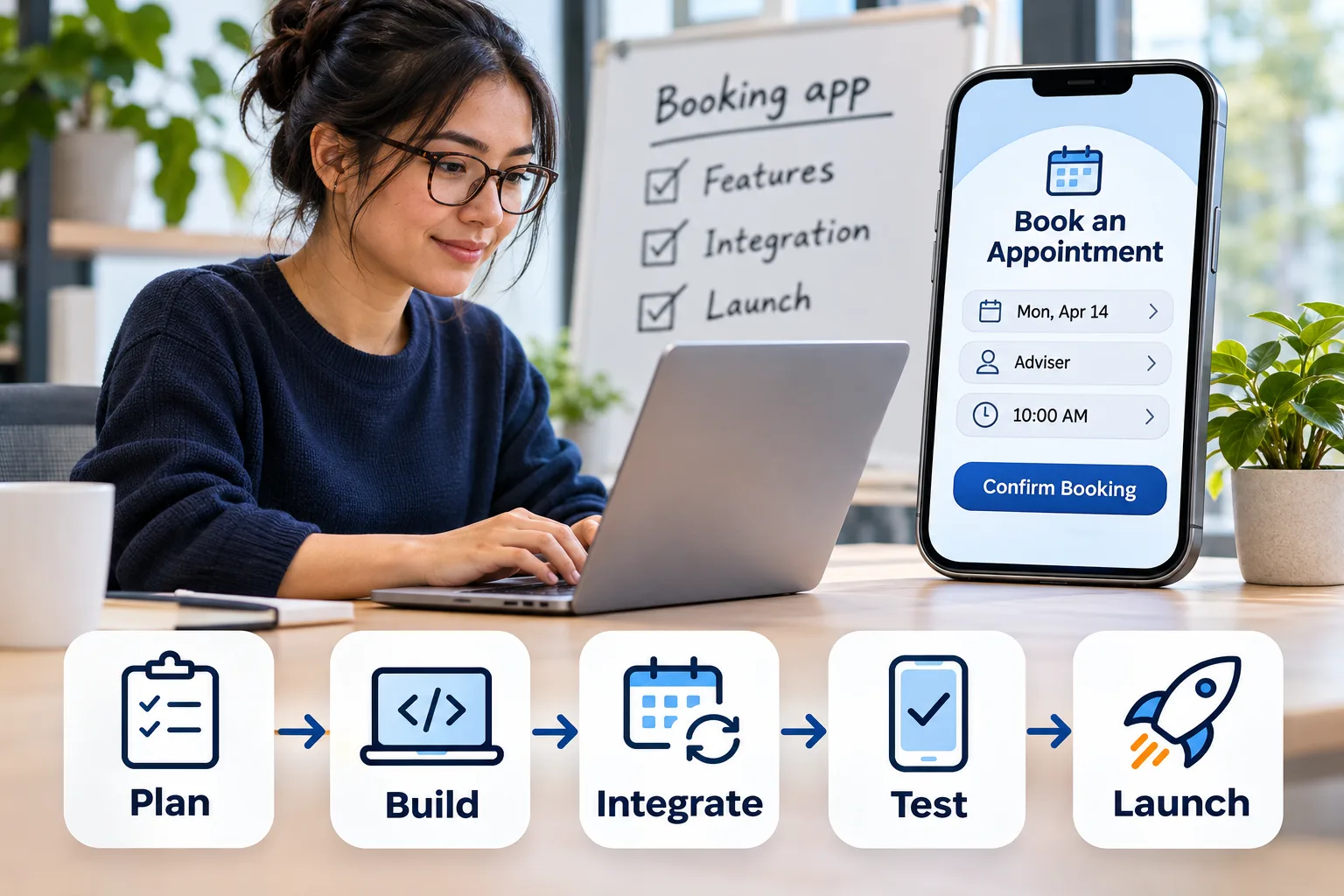
Consider a nonprofit that wants clients to book appointments with advisers. During design, the developer works with a designer or your team to define how clients find an available slot and confirm it. The developer then writes the code that makes those screens respond and records each booking.
An integration, a connection between software systems, might link the app to the nonprofit’s existing calendar. That connection needs rules for cancellations and competing requests for the same appointment. Testing should check those situations, including what happens if a client loses their connection before seeing confirmation.
One developer may cover several responsibilities, but you shouldn’t assume design, testing and store submission are included. AppDesign360’s mobile app service includes App Store and Google Play submission, with features and platforms confirmed in writing. Ask any provider who owns each task, including maintenance after release, such as fixing defects or adapting to operating-system changes.
How much does mobile app development cost, and how long does it take?
Mobile app development cost and timing depend on the agreed scope: the features, platforms and work included in your contract. AppDesign360’s mobile app builds start at $3,500 USD for an agreed starter scope. That’s a service starting price, not a market average or a quote for every booking app.
For the nonprofit, requesting an appointment and receiving manual confirmation is a different scope from showing live availability across several advisers. The latter requires rules for scheduling conflicts and access to current calendar data. Ask your developer to identify which workflow the quote covers, rather than accepting “booking functionality” as a complete description.
Separate the initial build price from the costs of operating the app. AppDesign360’s pricing terms identify hosting and other provider charges as separate, while the mobile quote confirms applicable provider charges. Your budget should also identify any paid messaging or calendar services, plus the maintenance arrangement. Ask who pays each bill and which accounts your business controls.
A useful schedule identifies dependencies, meaning work that can’t proceed until something else is ready. Calendar access, your approval of screens and testing on the agreed devices can all affect the plan. Store review is a separate dependency, so ask for a distinction between the submission date and expected public availability. AppDesign360 confirms mobile timing in the written scope; its published SaaS schedule, for software delivered as an online service, isn’t an estimate for your phone app.
Do you need a custom app, a no-code builder or a website?
Choose the simplest approach that can complete your users’ task and meet your data requirements. For appointment booking, start by checking whether a mobile-friendly website, one designed to work on phone screens, can do the job. A nonprofit shouldn’t require clients to install an app just to request an occasional appointment.
No-code development means building software with visual tools rather than writing the application’s code yourself. Custom development means a developer writes code for your requirements. The choice depends on the booking rules and phone features you need, as well as how much control you require over future changes.
| Approach | Booking task fit | Device needs | Budget and control checks |
|---|---|---|---|
| Mobile-friendly website | Consider for bookings clients can complete through a browser link. | Check whether the browser supports every required phone interaction. | Confirm website scope and any booking-service subscription charges. |
| No-code builder | Consider when its existing components support your booking rules. | Verify required phone features and distribution options before choosing a platform. | Check recurring fees, usage limits, integrations and data export. |
| Custom mobile app | Consider when required workflows exceed the simpler options. | Have the developer demonstrate support for must-have device features. | Budget for the scoped build, provider charges and ongoing maintenance. |
Test the complete appointment flow before committing to a builder. A tool may display available slots yet fail to exchange cancellation updates with your existing calendar. Check whether you can export client and booking records in a usable format, and what recurring platform fees apply at your expected usage.
Custom development deserves consideration when a required workflow or device feature can’t be supported by those simpler options. For example, if advisers must record attendance without an internet connection, ask the developer to demonstrate offline storage and later updates before choosing the approach. If a browser-based booking form meets the actual need, keep the website option on the table and avoid paying for an app without a defined benefit.
Should you choose native or cross-platform app development?
Choose the development approach around your hardest required phone feature, rather than a preferred programming language. Native development means building specifically for a platform, such as iOS or Android. Cross-platform development shares much of the code across platforms, but each version still needs testing.
AppDesign360 builds native apps using Swift for iOS and Kotlin for Android, and cross-platform apps using Flutter and React Native. Swift and Kotlin are programming languages; Flutter and React Native are frameworks, collections of tools and reusable components for building apps. Ask your mobile app developer to explain the choice through your requirements.
| Decision area | Native: Swift or Kotlin | Cross-platform: Flutter or React Native |
|---|---|---|
| Code structure | Platform-specific app code. | Much of the app code is shared. |
| Device features | Uses the platform’s own development tools. | Check whether shared tools cover the feature or platform-specific code is needed. |
| Testing | Test each supported platform and device. | Test each supported platform despite shared code. |
| Maintenance | Plan for separate iOS and Android changes. | Plan for shared changes and any platform-specific components. |
For the nonprofit booking app, suppose staff must scan attendance codes with the phone’s camera. Request a small working demonstration on the intended phones before committing to the full build. That test should cover denied camera permission and unreadable codes, not just a successful scan.
If the required feature works through shared components, cross-platform development deserves consideration. If it needs substantial platform-specific work, ask how that affects the proposed maintenance plan. Neither approach removes the need to check the complete booking workflow.
How do you check an app developer’s skills before hiring?
Check a developer’s skills by asking for relevant working evidence and clear explanations of their decisions. A portfolio screenshot shows an interface, but it doesn't establish who built the booking rules or tested failed requests. For your nonprofit app, evidence of calendar connections matters more than an unrelated polished screen.
- Inspect relevant apps or request a guided demonstration when access is private. Follow a task from start to finish, including an error or cancellation. Ask which parts resemble your proposed workflow.
- Confirm the candidate’s personal contribution. Ask who handled interface design, coding, business-system connections and release work. Someone who contributed one screen shouldn’t be assessed as though they delivered the entire product.
- Assess technical judgment with a concrete scenario. Ask what happens if two clients request the same appointment or a connection fails after submission. Look for an understandable explanation of how they would prevent or detect the problem.
- Assess communication through a written follow-up. Ask the developer to record assumptions, unresolved questions and your next decision. You need to understand what requires your approval without translating technical language yourself.
- Compare written proposals against the same brief. Check that each covers the intended platforms, integrations and testing responsibilities. Ask candidates to explain exclusions before treating their prices as comparable.
| Responsibility | Freelancer arrangement | Development team arrangement |
|---|---|---|
| Design | Confirm whether the developer designs the interface or needs a separate designer. | Confirm who owns design and whether their work is included. |
| Testing | Ask who checks the work beyond the person writing it. | Ask whether a separate tester is assigned and what they cover. |
| Support | Confirm availability and backup arrangements. | Confirm the support contact and which team handles fixes. |
Choose the arrangement with explicit coverage for the work you need, rather than assuming a team includes every role. A freelancer can be a reasonable fit when responsibilities are bounded and you can coordinate other contributors. If you can't manage those handoffs, request a named person responsible for delivery across roles.
What should you receive from planning through app launch?
Each stage should produce something you can review before approving the next commitment. Discovery means agreeing on the business problem and the first release’s boundaries. For the nonprofit, that could mean booking and cancellation while leaving volunteer scheduling outside the initial build.
AppDesign360’s separate App Blueprint starts at $1,250 and includes a clickable prototype, technical specification and build quote. A clickable prototype demonstrates screens and navigation; it isn't a working production app. You can review the booking journey in it, but it doesn't prove appointments are saved or calendar updates work.
- Finish discovery with an agreed brief. It should identify users, the task they need to complete and the first release’s boundaries. Record who supplies content and access to existing systems.
- Review the prototype through realistic tasks. Try finding an appointment, changing it and cancelling it. Record decisions about confusing screens before those screens become working software.
- Approve a technical specification, the written description of how the app must work. Request platform choices, data requirements and integration details, alongside acceptance criteria: observable conditions that show a feature is complete.
- Review working builds during development. Ask for demonstrations using test bookings, including failed requests. Keep a record of approved changes and their effect on the agreed work.
- Review testing evidence before submission. Request results for supported phones, account permissions and booking failures. Agree which unresolved defects must be fixed before release.
- Confirm submission readiness and handover. Review store descriptions, screenshots and required account access, then receive the code, setup instructions and ownership documentation. Submission isn't approval; record who responds to store questions and who handles issues after release.
What mistakes should you avoid before signing an app development contract?
Don't sign until the contract makes delivery, ownership and responsibility clear. A phrase such as “complete booking app” leaves too much open: it doesn't say whether staff can cancel appointments or who fixes a failed calendar connection. Your mobile app developer should turn those expectations into reviewable commitments.
- Require a written scope, price and launch date before work starts, with dependencies such as your content delivery and store review identified.
- List exclusions explicitly, including any administrator screens, data migration or connections to existing systems that aren't included.
- Agree how change requests are approved and priced before extra work begins, including any effect on delivery dates.
- Define acceptance criteria, the observable conditions for approving work, such as a cancelled booking releasing its appointment slot.
- Confirm ownership and handover of source code, hosting and accounts, including access you would need to appoint another developer.
- Separate defect fixes from ongoing maintenance and new features, with support responsibilities and charges written down.
- Reject guaranteed store approval, and name who handles rejection notices, corrections and resubmission.
AppDesign360 includes 30 days of fixes on new builds, with support after launch available from the team that built them. That isn't an unlimited maintenance agreement, so confirm when the fix period starts and what it covers. For your booking app, correcting a cancellation feature that fails its agreed test differs from adding a waiting list; the latter changes the scope.
How do you get started with AppDesign360?
Start with the business task you need to improve, then discuss it on AppDesign360's free 20-minute discovery call. A nonprofit might need clients to book appointments without staff exchanging emails. Bring that task, your current booking process and any existing software access requirements.
AppDesign360 is the website, SaaS and custom software engineering brand of Mango Consulting LLC, founded in 2018. SaaS means software delivered as an online service. Mango Consulting LLC is an SBA-certified Service-Disabled Veteran-Owned Small Business, or SDVOSB, and also takes on federal set-aside work.
Our local team is based in Teaneck, NJ and Queens, NY, serving North Bergen, Bergen County and New York City, with remote delivery across the United States and Canada. We work with small and growing businesses, founders and nonprofits. Alongside mobile apps, we build custom-coded websites rather than templates, business software and client portals, and provide AI services and marketing.
| AppDesign360 service | Price or quoting basis in USD | Scope to confirm |
|---|---|---|
| Business website design and development | Starter websites $1,500–$3,500; business websites $1,750–$4,000; growth websites $4,000–$10,000 | Pages, content responsibilities and enquiry path. |
| SaaS product design and development | Blueprint $1,250–$2,500; minimum viable product, or focused first release, from $15,000 | Planning and implementation are separate scopes. |
| Mobile app development for iOS and Android | Written quote confirms the starter-build price | Included platforms, features and delivery responsibilities. |
| Custom business software and client portals | Labor from $20/hour; fixed projects quoted individually | Workflow, users and connections to existing systems. |
| AI app review and launch | Review and implementation labor from $20/hour; fixed projects quoted individually | Assessment of an AI-built prototype, followed by separately scoped completion or rebuilding. |
| AI engineering, large language model integrations and automation | Confirm scope and price | Connections between AI models, business data and workflows. |
| AI consulting and coaching | Coding coaching from $125/session; business AI consulting from $250 | Guidance is separate from done-for-you implementation. |
| Healthcare and HIPAA AI setup | Confirm scope and price | Healthcare requirements under the Health Insurance Portability and Accountability Act. |
| Open source AI setup sessions | Confirm scope and price | Model, hosting environment and session responsibilities. |
| IT staff augmentation | From $20/hour | Additional technical staff for your team's needs. |
| Search and AI visibility services | From $500/month | Search engine optimization, answer engine optimization, AI optimization and generative engine optimization, called SEO, AEO, AIO and GEO. |
| Google, Meta and Bing ads management | From $300/month per platform | Advertising spend and separately scoped landing pages are additional. |
| Google Local Services Ads management | From $599/month, plus platform charges | Eligibility and setup requirements; setup support is quoted separately. |
- Describe the outcome you need, such as letting clients book and cancel without staff intervention.
- Bring existing screens or prototypes, and identify who controls the current software and accounts.
- Discuss whether you need planning, a new build or a review of an existing app before committing to implementation.
- Review the written scope, price and launch date, including ownership and handover terms, before approving work.
You keep ownership of your code, hosting and accounts, with handover defined in the agreement. A working prototype and an idea on paper need different next steps, so describe what already exists. Discuss your project and request the discovery call at https://appdesign360.com/contact.
Key Takeaways
- •Hire against a defined business task and reviewable deliverables.
- •Put exclusions, acceptance criteria and change approval in writing.
- •Keep control of your code, hosting and accounts.
- •Agree post-launch support separately from the new-build fix period.
Is hiring a mobile app developer worth it?
How long does it take a mobile app developer to build an app?
What programming languages do mobile app developers use?
Start a free project conversation about a website, software, app or marketing.
Discuss Your Project
Comments